Samsung Phone Not Charging: Causes & Solutions
From the Moisture Detected warning to the charging sub-board, the Galaxy-specific causes and fixes.
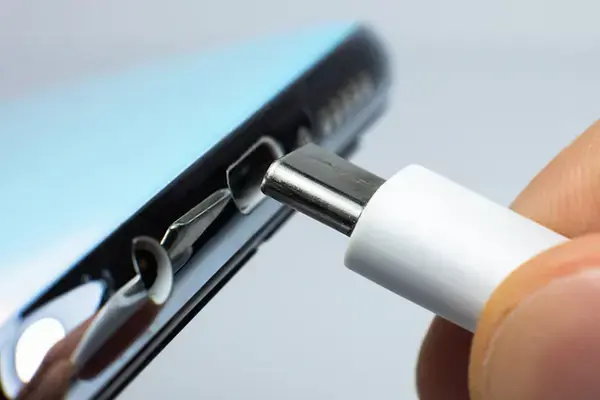
Start with the message on the screen
Samsung phones tell you more than most. “Moisture has been detected” means the phone has disabled the port; dry it (port down, no heat) and it clears within a few hours, or immediately if you restart after the port is genuinely dry. If it keeps appearing on a dry phone, the pins are corroded or dirty. “Check charger connection” or slow-charging icons usually mean the cable or adapter is not what the phone expects. No message and no charging icon points to the port, the battery, or the board.
Cable and charger: the Galaxy-specific trap
Super Fast Charging on Galaxy S, Note and A5x-and-up models needs a USB-PD adapter with PPS (25 W or 45 W) and a USB-C to USB-C cable rated for it. A generic cable or an old USB-A adapter gives you slow charging or none at all, and the phone will say so. Before assuming a fault, test with a known-good PPS charger and cable. A charger that works on a friend’s Galaxy is the quickest test.
The port and the sub-board
On most Galaxy models the USB-C port sits on a small charging sub-board together with the microphone and sometimes the SIM reader. Debris and worn contacts are cleaned first. If the port is loose, the pins are bent, or cleaning does not help, the sub-board is replaced as a unit, which keeps the repair quick and affordable: it starts from Rs 1,200 at APEX and takes 30 to 60 minutes. Because the microphone is on the same board, a charging fault sometimes comes with “people can’t hear me” on calls.
Battery and software
A Galaxy that shows a charging icon but the percentage never rises, or that shuts down at 30%, usually has a worn or swollen battery. Check for a lifting back panel. Software causes are rarer but real: a stuck charging animation is cleared by a forced restart (hold volume down and the side button for ten seconds), and Samsung’s Device Care → Battery screen shows whether adaptive or protected charging is limiting the level to 85%, which is a setting, not a fault.
Board-level faults
If a good charger, a clean or new port and a healthy battery still give nothing, the charging IC or a power line on the main board is at fault. This is more common after drops and liquid exposure. It is a micro-soldering repair, quoted after a free diagnosis, and still far cheaper than replacing the phone. See the Samsung repair page for what we cover.