iPhone Battery Health: When Should You Replace It?
What the numbers in Settings mean, why 80% matters, and habits that slow the decline.
What Battery Health actually measures
Maximum Capacity compares how much charge the battery can hold today against when it was new. 100% is new; 80% means every full charge now gives you four-fifths of the original screen time. It is estimated by the battery’s own controller and is accurate to a few percent. Peak Performance Capability tells you whether iOS has applied performance management, which it does after an unexpected shutdown on a worn battery; you will see a note that performance is being managed and a switch to disable it. On the iPhone 15 and later, Cycle Count and the manufacture date are also shown.
Why 80% is the line
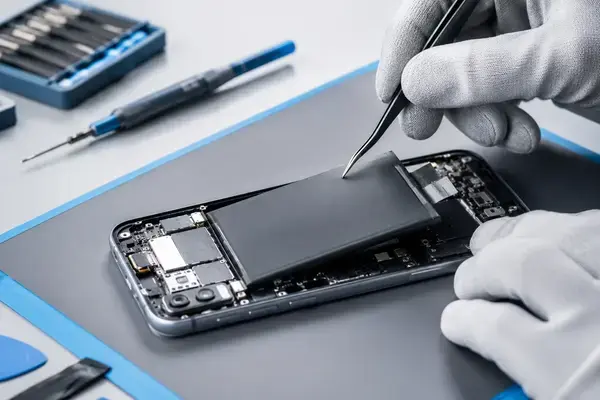
Lithium-ion cells do not wear evenly. They lose the first 10 to 15% slowly over a year or two, then decline faster as the internal resistance rises. Below roughly 80% the cell can no longer supply peak current for the processor and camera flash, which is what causes the sudden shutdowns, and iOS starts throttling to prevent them. Apple picked 80% as the service point because that is where the experience changes, not just the screen time. Above it, a new battery is optional; below it, it is the single most effective repair for the money.
How fast it drops in Lahore
Heat is the main enemy of lithium-ion batteries, more than cycle count. A phone that lives in a pocket in 40-degree summers, charges on a hot dashboard, or sits under a pillow overnight ages faster than the same phone in a cooler climate. In our experience at the shop, iPhones in Lahore typically reach 80% between 18 and 30 months of daily use, with heavy users and delivery riders at the low end. The 15 series and later, rated for 1,000 cycles, last noticeably longer.
Habits that slow the decline
- Keep it out of heat. Do not charge in direct sun, on a bike dashboard, or under bedding. If the phone is hot to the touch, let it cool before charging.
- Leave Optimized Battery Charging on. iOS learns your routine and holds at 80% overnight until shortly before you wake.
- On the iPhone 15 and later, try the 80% limit in Battery Health settings if you charge every night anyway.
- Avoid running it to 0% regularly. Topping up from 30 to 80% is easier on the cell than full cycles.
- Use a decent charger. A cheap adapter that runs hot or delivers unstable current stresses the battery; it does not need to be Apple’s, but it should be a known brand with USB-PD.
When to replace, in one sentence
Replace when Maximum Capacity is 80% or below, when iOS shows a Service message, or immediately if the battery has swollen, regardless of the percentage. Otherwise, keep using it. When the time comes, an iPhone battery replacement at APEX takes 30 to 60 minutes and starts from Rs 1,800 depending on the model; the estimator has the figure for yours.