iPhone Face ID Not Working
Settings fixes first, then what “Face ID is not available” means and whether it can be repaired.
Read the exact message
Face ID problems fall into two groups, and the message tells you which. If Face ID works sometimes, fails in certain conditions, or says “Face ID is temporarily unavailable”, you are in the software and settings group below. If Settings says “Face ID is not available. Try setting up Face ID later.” or you can never complete set-up because it keeps saying “Move iPhone lower”, the TrueDepth hardware has failed its self-check, and no setting will fix it.
Settings and software fixes
- Clean the notch or Dynamic Island area. A smudge, a thick screen protector with a cut-out slightly off, or a case lip covering the sensors is the most common cause of “sometimes”.
- Check Settings → Face ID & Passcode that iPhone Unlock is on, and set up an Alternate Appearance if you often wear glasses or a mask.
- Attention Aware Features require you to look at the phone; turn it off if you unlock at odd angles.
- Restart, then Reset Face ID and enrol again in good light.
- Update iOS. Several releases have fixed Face ID bugs.
- If Face ID was disabled after five failed attempts or a restart, enter the passcode once; that is by design.
What “Face ID is not available” means
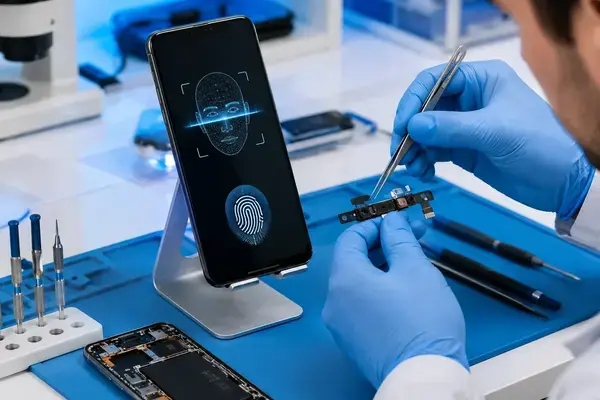
The TrueDepth system is a chain of parts on one flex cable behind the top of the screen: flood illuminator, dot projector, infrared camera, proximity sensor and front camera. The dot projector is paired to your logic board at the factory. When any part fails, iOS disables the whole system. The usual triggers are a drop, liquid, or a screen replacement elsewhere where the flex was torn, swapped, or not transferred. If Face ID stopped the same day as a cheap screen repair, that is almost certainly the cause.
Can it be repaired?
Often, yes. Because the pairing lives in the dot projector, a whole new flex from another phone will never work, which is why many shops say Face ID cannot be fixed. Component-level repair replaces the failed part on your original flex, keeping the pairing: a torn flex track, a dead flood illuminator, or a failed infrared camera are all repairable on most models, and dot projector work is possible on many by transferring its paired chip. A shattered dot projector or damaged pairing data on the board is not repairable, and we tell you so after the free diagnosis with no charge. Details on the Face ID repair page.
Cost, time and what to expect
Face ID repair at APEX starts from Rs 3,000 and depends on the failed component and the model. Simple cases take one to three hours; dot projector work can take a day. Afterwards you set Face ID up fresh; your data and passcode are untouched because Face ID data lives in the Secure Enclave on the board, which we do not touch. Repairs carry our warranty of up to 6 months against the same fault recurring.